
Table of Contents
- Tp-link wi-fi 6 AX3000 travel router TL-WR3002X review: is this the ultimate portable router
- Key features
- Pros and cons
- Customer reviews
- Frequently asked questions
- Where to buy
Tp-link wi-fi 6 AX3000 travel router TL-WR3002X review: is this the ultimate portable router
Trying to stay connected while traveling is a hassle, especially when hotel or cruise Wi-Fi crawls or drops out. That's where TP-Link's travel router steps in—it's tiny enough to stash in your bag, but it keeps a bunch of devices online without much drama. We've seen travelers praise its speed, portability, and security. Some folks do wish it had a few more advanced features, though.
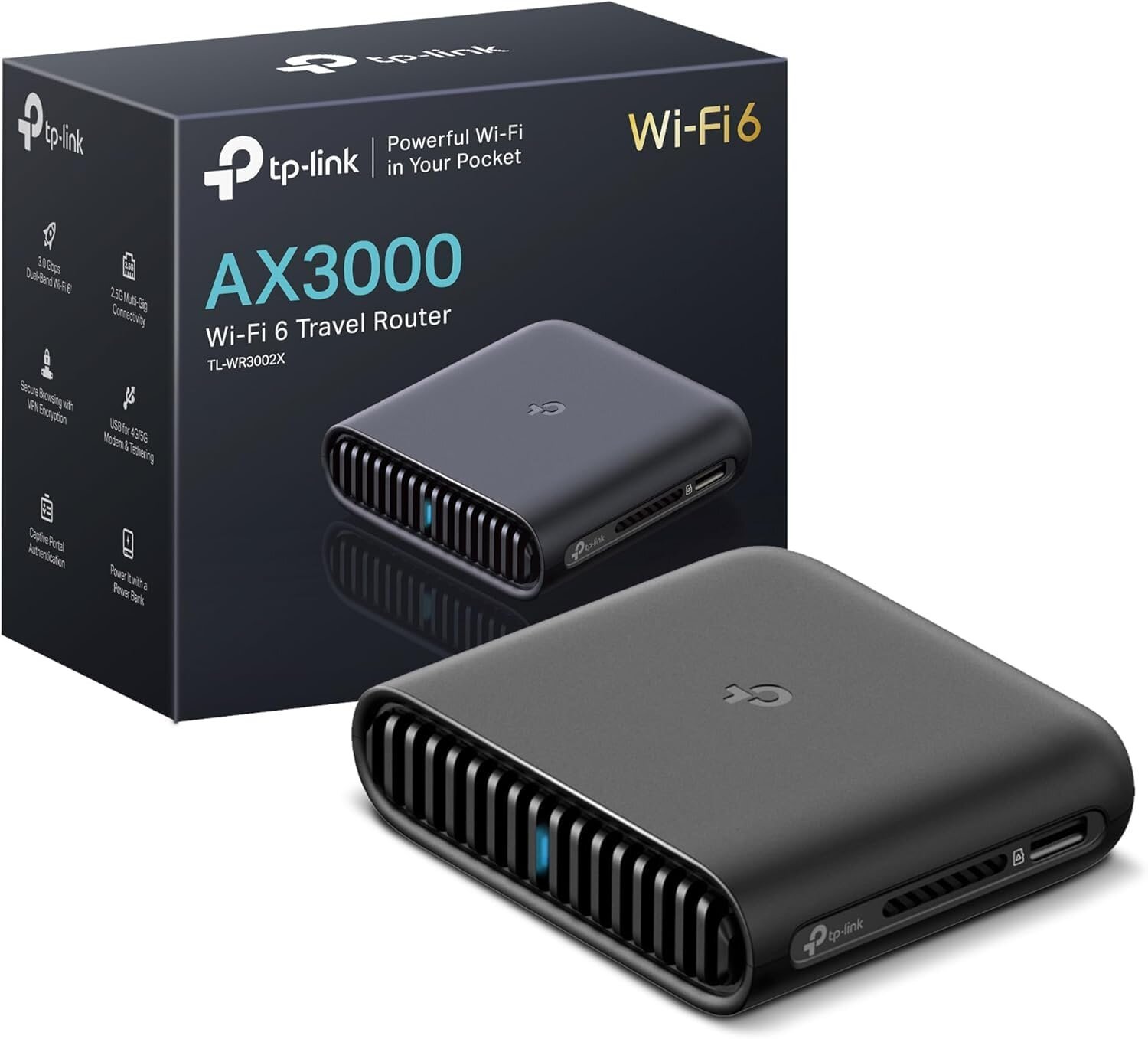
It's straightforward to set up and makes sharing public Wi-Fi safer. On the flip side, a few users want more built-in privacy tools, like a VPN kill switch. Still, for most travelers, it hits a sweet spot between convenience and performance.
Overview of the tp-link dual-band wi-fi 6 AX3000 travel router
When you're dealing with flaky hotel Wi-Fi or packed public networks, this little router makes a real difference. The AX3000 is small enough to toss in your backpack, but it's no slouch—it brings solid performance thanks to Wi-Fi 6. We like being able to switch between router, hotspot, or extender modes depending on the situation.
It supports VPNs like OpenVPN and WireGuard, which means you can keep your data private on sketchy public Wi-Fi. Plus, it's easy to power up—USB-C makes charging on the go a breeze, whether you're using a wall outlet or a power bank.
A few users mention that while the speed and range are decent, it won't cover a big space. And if you're super focused on privacy, you might miss a VPN kill switch.
Key features
Wi-fi 6 performance and dual-band speed
The router supports Wi-Fi 6, so it juggles multiple devices without choking like older models. With both 2.4 GHz and 5 GHz bands, you can pick between better range or faster speeds. Honestly, the 2.4 GHz band feels a bit underwhelming compared to the 5 GHz, especially if your stuff needs longer-range connections.
Pros
-
Handles multiple devices easily
-
Fast 5 GHz speeds—great for streaming and gaming
Cons
- 2.4 GHz band isn't as strong
Multi-gigabit connectivity
You get a 2.5 Gbps port and a standard 1 Gbps port, which is pretty rare in a travel router. Plug in a laptop or media streamer if you want. Of course, most hotels or public places won't offer internet fast enough to max those out, but hey, the ports are there if you find a speedy connection.
Port TypeSpeedWAN/LAN2.5 GbpsLAN1 Gbps
Advanced security and VPN capabilities
We appreciate that it supports OpenVPN and WireGuard, giving you more ways to keep your browsing private. The captive portal login is handy too—you only have to sign in once, and the router takes care of the rest. Setting up VPNs might feel a bit much if you're not used to it, though.
Highlights
-
Multiple VPN protocols
-
Captive portal login saves time
-
VPN setup can feel technical if you're new to it
Flexible power and portability
You can power this router with USB-C, which is super convenient. Use the included adapter or a power bank. It's tiny and light, so it won't weigh you down. Just a heads-up—running it off a power bank will drain the battery pretty quickly, so that's more of a backup option.
Quick Facts
-
Weight: 5.3 ounces
-
Size: 3.6 x 1.18 x 4.13 inches
Setup experience
Getting this router running is pretty painless, but there are a few quirks. Most people say setup is straightforward, though it really depends on how you're connecting.
Tether app usability
The Tether app basically walks you through setup. A lot of users mention how it makes things less intimidating, especially if you're not super technical.
-
Pros:
-
Clean, simple interface
-
Good for both setup and future tweaks
-
Cons:
-
Some settings are buried in menus
-
Advanced features take some digging to find
-
The app handles simple stuff well, like creating a network or changing basic settings. If you want to mess with advanced options, you'll probably spend more time poking around.
Captive portal authentication
When you're in a hotel or airport, the captive portal feature is a lifesaver. Instead of logging in on every device, you authenticate once through the app, and the router keeps the rest connected.
Benefits
-
Cuts down on repeated logins
-
Adds a layer of security vs. logging in directly on public Wi-Fi
Drawbacks
-
Weird login pages can still trip it up
-
Sometimes you'll need to retry or wait a bit
Overall, setup feels friendly enough, and the captive portal feature really helps when you're bouncing between networks.
Pros and cons
Looking at this travel router, you get some standout perks but also a few downsides. Here's the gist.
Additional Pros
-
Compact and lightweight — Easy to toss in your bag
-
Flexible modes — Works as router, hotspot, or extender
-
Good speed and coverage — Handles streaming, browsing, and gaming
-
Secure connections — VPN support keeps data safer
-
Simple setup — Tether app makes it fast
-
Multiple power options — Use a wall adapter or power bank
Strengths at a glance
- Portability: Carry it anywhere without adding bulk.
- VPN support: Keeps browsing safer on public Wi-Fi.
- Multi-mode use: Adjusts to router, hotspot, and extender duties.
Additional Cons
-
No VPN kill switch — If the VPN drops, your data could leak
-
Limited range — Fine for a hotel room, not a big house
-
Advanced settings can be tricky — Setup is easy, but fine-tuning takes effort
-
Price — Not cheap for a travel router
These aren't dealbreakers, but they're things to think about depending on how you travel.
Customer reviews
Most buyers say setup is a breeze, especially with the app. The small size makes it super portable, which frequent travelers love.
Performance-wise, people report strong, steady speeds even when sharing a hotel network. Some note that the range can't match a full-size router, but that's not really a surprise given how compact it is.
A few users wish it had more features, like a VPN kill switch, for extra privacy. Others point out it's best for travel, not as a main home router.
To sum it up
-
Pros: Easy setup, portable, solid speeds
-
Cons: Limited range, missing some VPN features
Frequently asked questions
What are the key features of the TP-Link AX3000 travel router?
This little router packs a punch for its size. You get Wi-Fi 6, dual-band connections, VPN support, and several modes. The compact design is great for travel, though if you just need basic Wi-Fi, the extras might feel like overkill.
How does the TP-Link AX3000 perform in terms of speed and connectivity?
It's built for fast streaming and downloads with little lag. The 5 GHz band is great for high-speed tasks, while 2.4 GHz covers more distance. The range isn't as wide as a big home router, but that's expected for something this portable.
Can the TP-Link AX3000 travel router handle multiple devices simultaneously?
Yes, it's designed for that. Wi-Fi 6 features like MU-MIMO and OFDMA let you connect phones, laptops, and tablets at once. If too many people are streaming or gaming, speeds might dip a bit.
How user-friendly is the setup process for the TP-Link AX3000?
Setup is pretty quick. The Tether app guides you through everything, and most users get it running fast. If you're not familiar with networking, the extra options might feel a bit much at first.
What security measures does the TP-Link AX3000 offer for travelers?
Security is a big plus. It supports OpenVPN and WireGuard, has a firewall, and lets you filter devices. It doesn't have a VPN kill switch, though, so privacy-focused travelers might want to keep that in mind.
How does the TP-Link AX3000 compare to other travel routers in its class?
If you stack the TP-Link AX3000 up against other travel routers, it really pulls ahead with its speed and features. Most competitors just can't match it when it comes to multi-gig ports or the range of security options you get here. Still, you do give up a bit of simplicity. It's a bit more complicated than those plug-and-play models, so you'll need to decide if you want power or convenience.
Quick comparison snapshot
| Category | AX3000 strengths | AX3000 limitations |
|---|---|---|
| Speed | Fast Wi-Fi 6 with dual-band support | Range doesn't match full-size routers |
| Device support | Manages several devices at once | Heavy loads might slow it down |
| Setup | App-guided setup is quick | Advanced settings can trip you up |
| Security | VPN and strong firewall choices | No built-in kill switch |
| Portability | Small and light, easy to pack | Some features may go unused |